


How to boot into Safe Mode and Rollback Windows Updates
1.Enter safe mode and restart the PC:
Restart the PC and repeatedly press "F9" → Select "Troubleshoot" → "Advanced options" → "Startup Settings" → "Restart" → Select "Safe Mode" to enter
2. Press "F9" into "Safe Mode" :
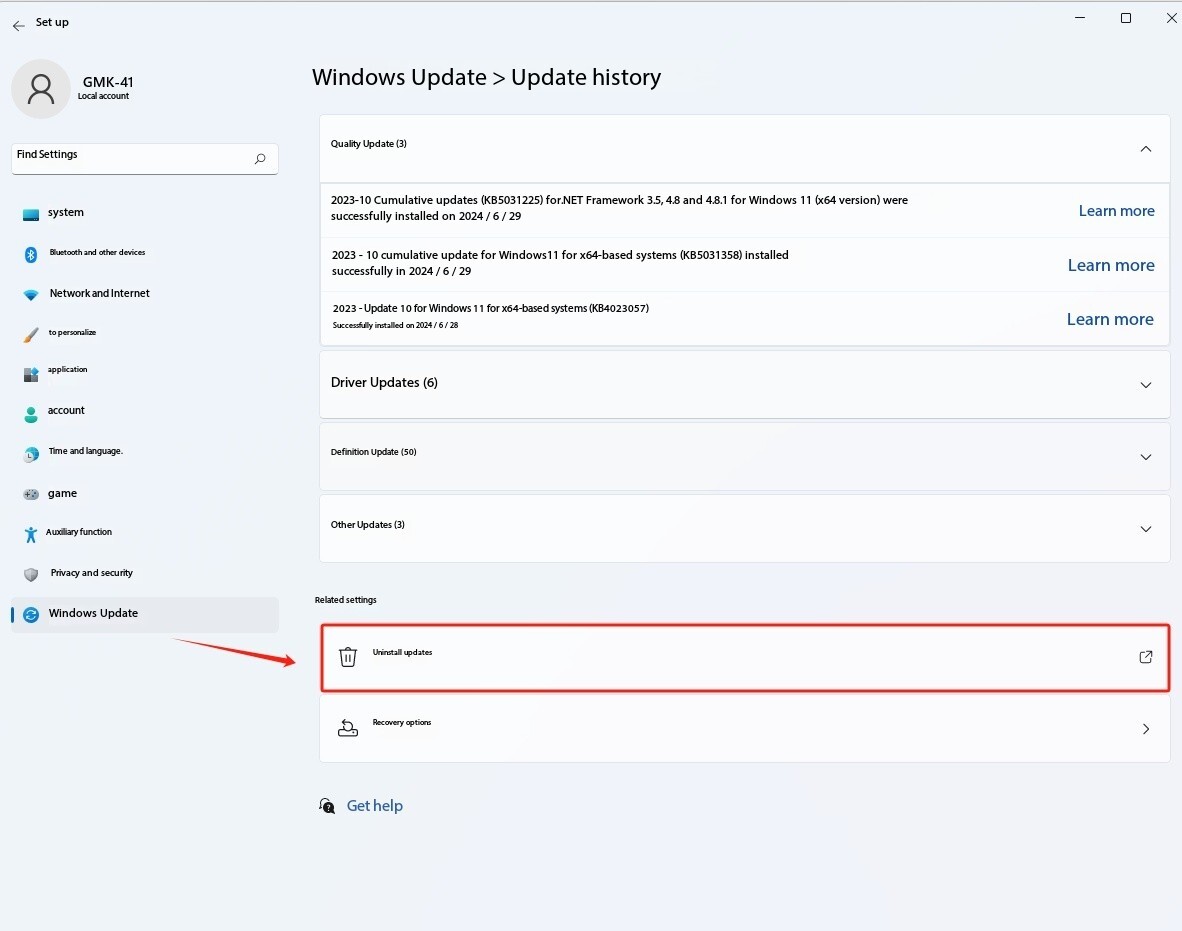
In the system settings, find "System Update" and delete the most recently updated system file patches, then restart your computer;
3. Press "F9" into "Safe Mode" :
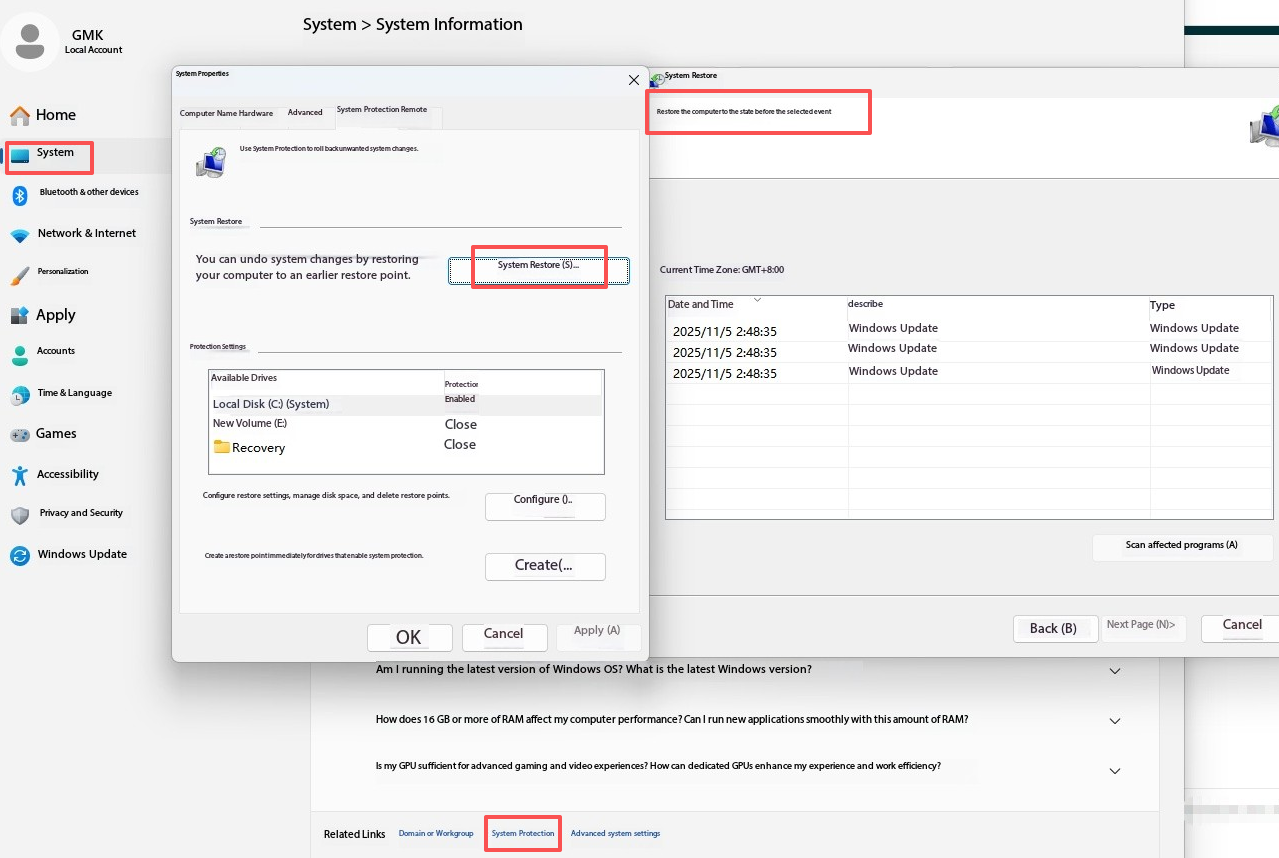
Right-click "My Computer" on the desktop > "Properties" > "System" > "System Information" > "System Protection" > "System Restore" > restore your computer to a point in time when you believe it was working correctly;
4. Press "F9" into "Safe Mode"
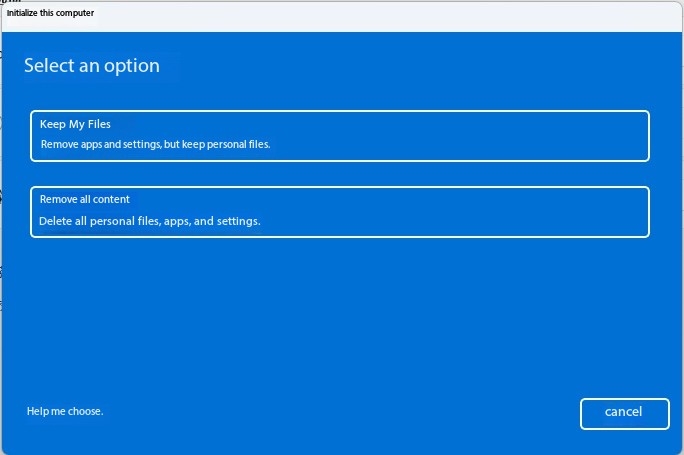
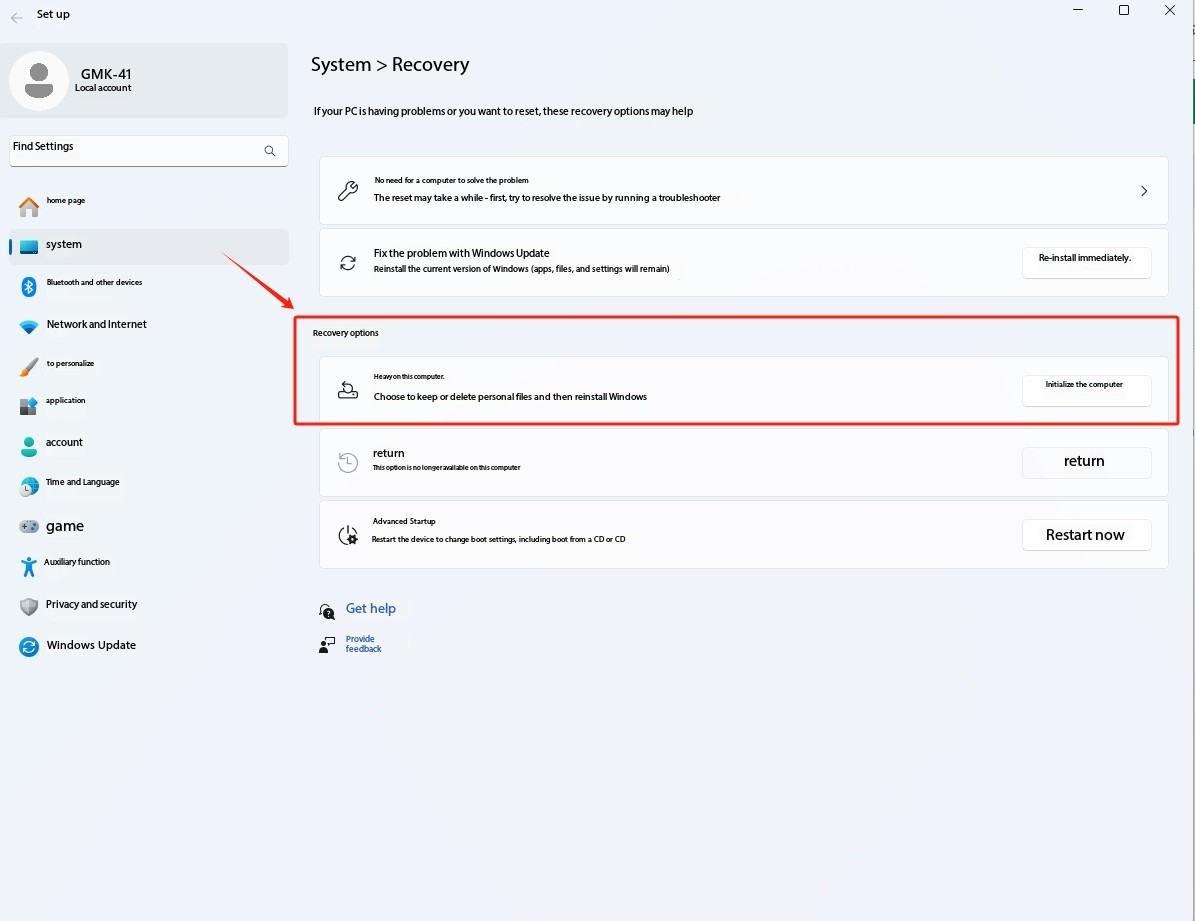
In the system settings, find "Restore Factory Settings";
5. Check the SSD status in the BIOS page:
Repeatedly press the key of "Esc" into the BIOS page when the PC is booting,
Take a screenshot of the BIOS main page under NVMe information to check if the PC detects the SSD drive.